
Using Digital Screens and Tablets in Dispensary Displays
- Using Digital Screens and Tablets in Dispensary Displays design
- Why combine digital screens and tablets in dispensary displays?
- How digital adds measurable value to cannabis retail
- Business goals to drive your digital dispensary strategy
- Choosing the right hardware for your dispensary
- Software essentials for interactive dispensary displays
- Design principles for effective digital signage
- Compliance and security considerations
- Accessibility and inclusivity in dispensary digital design
- Integrating analytics to measure ROI
- Operational workflows for digital deployments
- Cost considerations and lifecycle planning
- Security features that matter in dispensary hardware
- Content strategies that convert in cannabis retail
- Comparing digital screens and tablets for dispensary use
- Practical deployment checklist
- Case uses and scenario-based recommendations
- Why partner with an experienced display manufacturer?
- Installation and testing best practices
- Content production tips for dispensary displays
- Maintenance and ongoing optimization
- Final recommendations
- FAQ
- Do digital screens and tablets help increase sales in dispensaries?
- How do I ensure age verification works with tablets?
- What are the security risks and how can they be mitigated?
- Can digital displays show real-time inventory?
- How often should content be refreshed?
- Why choose a custom display manufacturer like Ouyee?
Using Digital Screens and Tablets in Dispensary Displays design
Why combine digital screens and tablets in dispensary displays?
Dispensary Displays design that combines fixed digital screens and handheld or counter tablets creates a layered customer journey: attract with large-format visuals, educate with interactive touchpoints, and convert with connected checkout and staff tools. Digital elements help dispensaries present product information, handle age verification, manage promotions, and streamline compliance — all while reinforcing brand identity and improving in-store metrics like dwell time and conversion.
How digital adds measurable value to cannabis retail
When designed well, digital displays increase clarity and speed of purchase decisions. Screens can show high-margin products, highlight strains, and display compliance notices without reprinting material. Tablets enable digital menus, loyalty enrollment, and secure point-of-sale (POS) interactions. For store owners focused on dispensary displays design, these tools reduce staff time answering routine questions and improve inventory accuracy by integrating with back-office systems.
Business goals to drive your digital dispensary strategy
Start with clear goals that inform hardware and software choices: increase average transaction value, speed up service, improve compliance with state rules, reduce shrinkage, or elevate brand experience. Each goal maps to features — e.g., interactive product filters to increase basket size, age-gate integrations for compliance, or remote content scheduling to support marketing campaigns.
Choosing the right hardware for your dispensary
Hardware selection is central to successful Dispensary Displays design. Large-format digital screens (LED/LCD) are ideal for window displays and product walls. Commercial-grade tablets with secure mounts work well on counters and kiosks. Prioritize commercial-grade equipment with warranties, tamper-resistant mounting, and industrial touchscreens for continuous operation. Consider screen brightness for window exposure and anti-glare coatings for customer-facing tablets.
Software essentials for interactive dispensary displays
Software drives value. A reliable content management system (CMS) with remote scheduling lets you deploy promotions across multiple locations. Integration with your POS and inventory management ensures on-screen menus reflect real-time stock and pricing. Ensure support for age-verification workflows, customer analytics, and compliance reporting. Choose solutions with role-based access and audit logs to meet regulatory expectations.
Design principles for effective digital signage
Good Dispensary Displays design uses clear visual hierarchy, readable typography, and concise messaging. For large screens, use bold visuals and short copy optimized for viewing distance. For tablets, offer intuitive touch targets and progressive disclosure — initial screens show highlights, with deeper pages for terpene profiles, lab results, and usage tips. Keep navigation consistent to minimize customer friction.
Compliance and security considerations
Compliance is non-negotiable in cannabis retail. Digital components should support age verification at entry and before any purchase interaction. Lock down tablets with kiosk-mode software to prevent unauthorized browsing. Maintain secure network segmentation for POS and back-office systems and use encrypted connections for any customer data. For physical security, choose lockable mounts and shatter-resistant enclosures.
Accessibility and inclusivity in dispensary digital design
Design digital content to be accessible: large fonts, high-contrast color schemes, and clear audio captions for videos. Provide multilingual options if your customer base is diverse. Tablets should accommodate wheelchair access and be adjustable in height where possible. Inclusive design increases reach and reduces legal risk related to accessibility standards.
Integrating analytics to measure ROI
Analytics turn impressions into action. Track dwell time, interaction rates on tablets, conversion lift on promoted items, and attribution from screen campaigns to sales. Use A/B tests for content variants to identify what messaging drives purchases. Regularly review these KPIs to refine your Dispensary Displays design and content cadence.
Operational workflows for digital deployments
Operational planning reduces downtime. Define maintenance routines for cleaning touchscreens, firmware updates, and network checks. Train staff to troubleshoot basic issues and to update content or promotions through the CMS. Establish escalation procedures with your hardware and software vendors to minimize out-of-service time.
Cost considerations and lifecycle planning
Budget for upfront hardware, installation, software licenses, and ongoing content production. Commercial displays typically run longer than consumer TVs but account for replacements and spare units. Plan for a 3–5 year refresh cycle for tablets and a 5–7 year cycle for commercial displays depending on usage and environmental exposure.
Security features that matter in dispensary hardware
Physical security features include lockable enclosures, tamper seals, and mounts with security screws. On the software side, use kiosk-mode lockdowns, device management platforms (MDM) to update and secure tablets remotely, and two-factor authentication for administrative access. These measures protect customer data and reduce theft risk.
Content strategies that convert in cannabis retail
Prioritize product education, compliance messaging, and promotions. Use short explainer videos for consumption methods, lab-result callouts for safety-conscious customers, and staff picks to humanize recommendations. Rotate content regularly to maintain novelty and tie digital promotions to loyalty programs for measurable results.
Comparing digital screens and tablets for dispensary use
Understanding the distinct roles of large screens and tablets helps shape Dispensary Displays design. Below is a concise comparison highlighting their strengths and typical use cases.
| Feature | Large Digital Screens | Tablets / Kiosks |
|---|---|---|
| Primary role | Attract attention, brand storytelling, promotions | Interactive product lookup, menus, POS interactions |
| Interaction | Passive viewing, sometimes gesture/QR-enabled | Direct touch; deep content exploration |
| Compliance | Display legal notices and visual entry cues | Age verification workflows and customer consent forms |
| Security | High (secure mounts, out of reach) | Medium (needs locks, MDM, kiosk mode) |
| Best placement | Window, product walls, checkout backdrops | Countertops, sales aisles, consultation stations |
Practical deployment checklist
Use this quick checklist when planning a digital rollout: define goals, audit power and network capacity, choose commercial hardware, select CMS with POS/inventory integration, configure kiosk and security settings, develop accessible content, train staff, and schedule analytics reviews.
Case uses and scenario-based recommendations
Different store formats call for tailored Dispensary Displays design. For small urban shops, prioritize tablets for fast service and compact digital signage in the window. For larger flagship stores, combine immersive wall screens showcasing brand stories with spaced tablets for consults. Multi-location retailers should centralize content management for consistent campaigns and regulatory messaging.
Why partner with an experienced display manufacturer?
Partnering with a specialized manufacturer simplifies integration of digital hardware into physical fixtures. Ouyee Dispensary Displays provides custom-designed display solutions tailored to cannabis retail. With a 180,000-square-foot facility in Guangzhou and over 25 years of experience, Ouyee leverages advanced CNC machining and proven materials to produce secure, durable, and attractive cabinets that accommodate screens, tablets, locks, and cable management. Their focus on aesthetics, functionality, and security helps retailers maintain compliance while elevating brand identity.
Installation and testing best practices
Test all displays before going live. Verify network segmentation for POS traffic, confirm CMS scheduling, run age-verification flows, and simulate peak traffic scenarios. Ensure mounts are secure and screens are readable under store lighting. Conduct a soft-launch period to capture initial analytics and refine content based on real-world behavior.
Content production tips for dispensary displays
Invest in short, high-quality visual assets: 10–15 second loops for screens and concise product pages for tablets. Use professional product photography and consistent brand templates. Implement version control for compliance documents so updates propagate quickly across all locations.
Maintenance and ongoing optimization
Schedule routine maintenance for hardware and a content refresh cadence. Monitor analytics weekly during the first months and then monthly. Use customer feedback and staff observations to iterate on design and user flows. Maintain vendor relationships for spare parts and warranty support.
Final recommendations
Effective Dispensary Displays design uses digital screens and tablets as complementary channels: screens attract and communicate at scale, tablets engage and transact. Prioritize security, compliance, accessibility, and measurable objectives. Work with experienced partners like Ouyee Dispensary Displays to ensure fixtures and cabinetry are engineered to integrate and protect digital components while expressing brand identity.
FAQ
Do digital screens and tablets help increase sales in dispensaries?
Yes. Properly designed digital content educates customers, highlights promotions, and speeds decision-making, which together tend to lift basket size and conversion. Trackable analytics allow you to measure impact and optimize campaigns.
How do I ensure age verification works with tablets?
Use kiosk software that integrates with government ID scanners or age-gate workflows. Require verification before any product interaction or adding items to cart. Keep logs and audit trails to meet regulatory requirements.
What are the security risks and how can they be mitigated?
Risks include device tampering, unauthorized browsing, and data leakage. Mitigate with lockable mounts, kiosk-mode software, MDM, network segmentation, encrypted connections, and role-based access controls.
Can digital displays show real-time inventory?
Yes — when integrated with your POS and inventory management system. Real-time integration prevents customer frustration and reduces staff time spent checking stock manually.
How often should content be refreshed?
Rotate promotional content every 1–4 weeks, while evergreen product information can remain longer. Regular refreshes maintain customer interest and help test what drives conversions.
Why choose a custom display manufacturer like Ouyee?
Custom manufacturers design fixtures that securely house digital equipment, manage cables, and align with brand aesthetics. Ouyee’s experience and manufacturing capacity enable tailored, durable solutions suited to cannabis retail requirements.
How to Choose the cannabis brand displays manufacturer and supplier ?
Top cannabis store display cases Manufacturers and Suppliers
Top boutique display table Manufacturers and Suppliers
How to Choose the Best Retail Dispensary Cabinets
OEM ODM Dispensary Showcase Counters Display Fixtures For Cannabis
Are these display units suitable for both THC and CBD product categories?
Absolutely. They're designed to safely and effectively display THC products, CBD items, vape accessories, and more.
Custom Modern Minimalist LED Light Strips Good Display of Smoke Shop
Can I request soft-close drawers and extra storage?
Yes, we offer multiple drawer options including soft-close mechanisms and lockable cabinetry.
Wooden Marihuana Dispensary Shelves Cannabis Display Case Manufacturer
What’s the production lead time?
Standard manufacturing takes around 4 weeks. Shipping (by sea) takes an additional 4–6 weeks depending on location.
Customized Wooden Cigarette And Tobacco Fixtures Smoke Shop Display Cases
Do you offer installation services overseas?
Yes, we offer both virtual installation guidance and optional global on-site setup.
Build a Dispensary
Do you offer eco-friendly dispensary display options?
Yes! Ouyee provides a variety of eco-friendly materials and energy-efficient solutions to help your dispensary reduce its environmental impact.
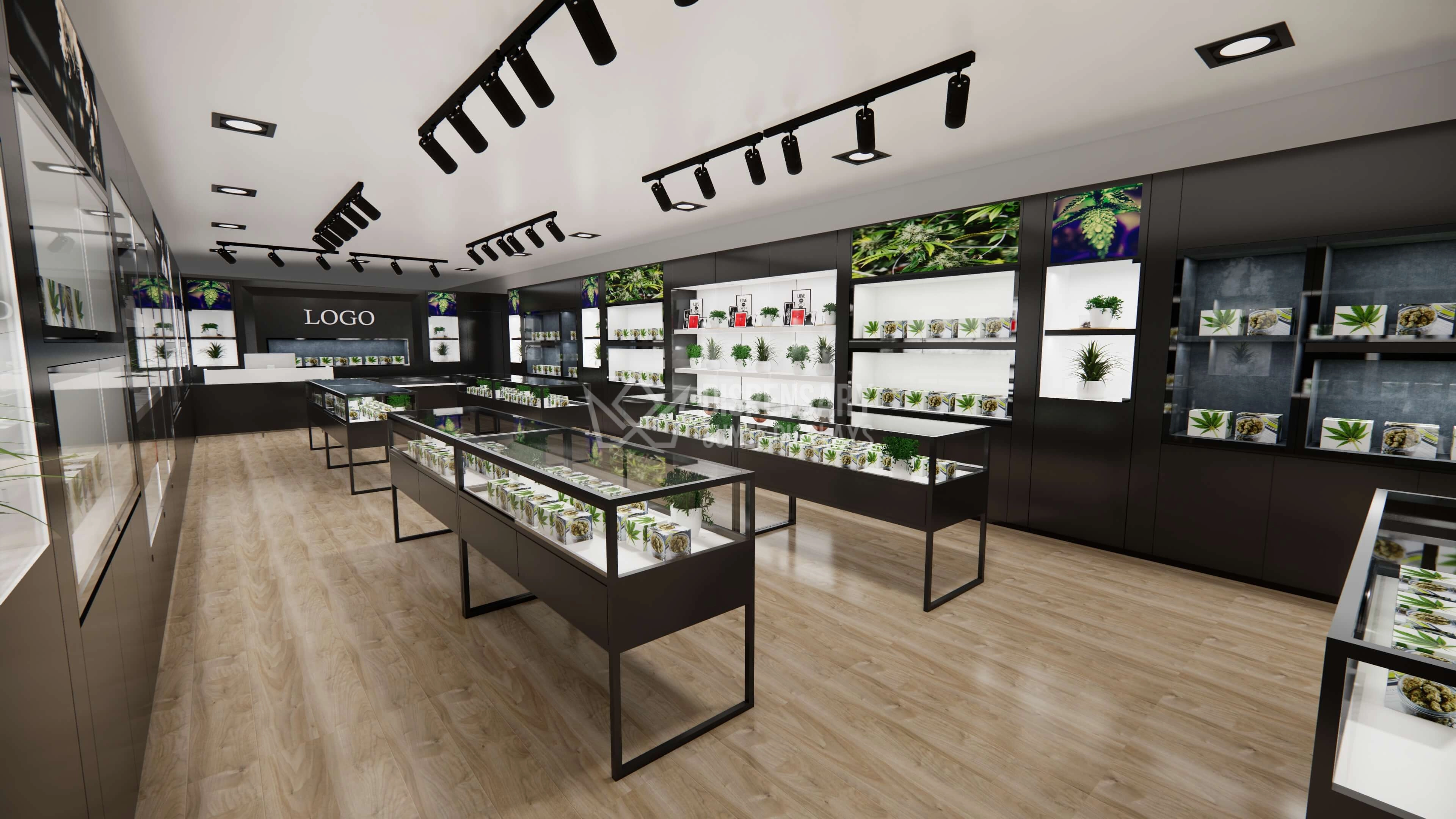
OEM ODM Dispensary Showcase Counters Display Fixtures For Cannabis
Sleek, secure, and fully customizable — our OEM/ODM dispensary counters redefine how cannabis is displayed in retail environments, merging form and function seamlessly.
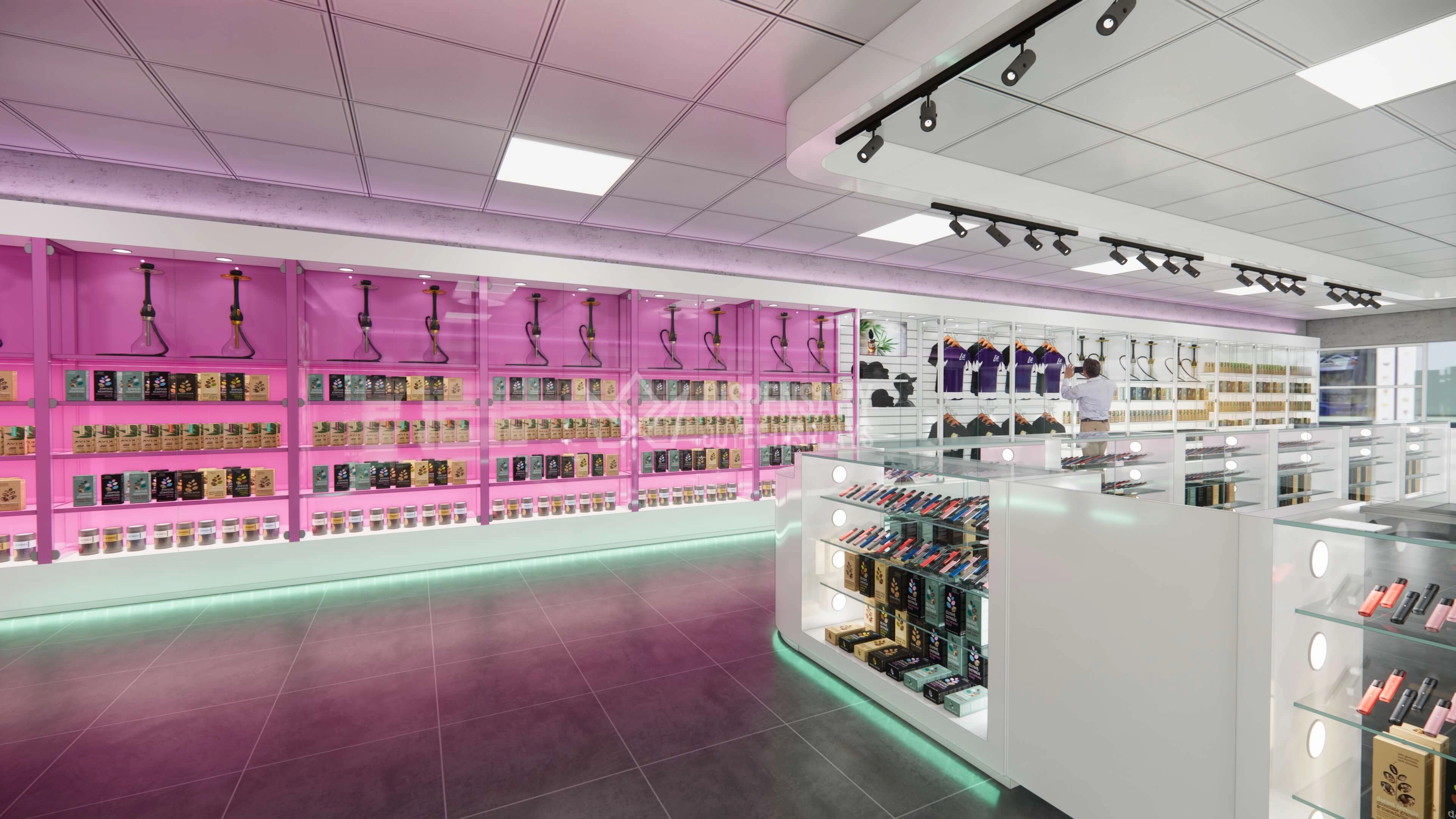
Modern Minimalist Cannabis Dispensary Displays Solutions
Modern minimalist cannabis dispensary displays offer sleek design, optimal product visibility, and efficient space usage, enhancing customer experience and elevating your store’s professional image.
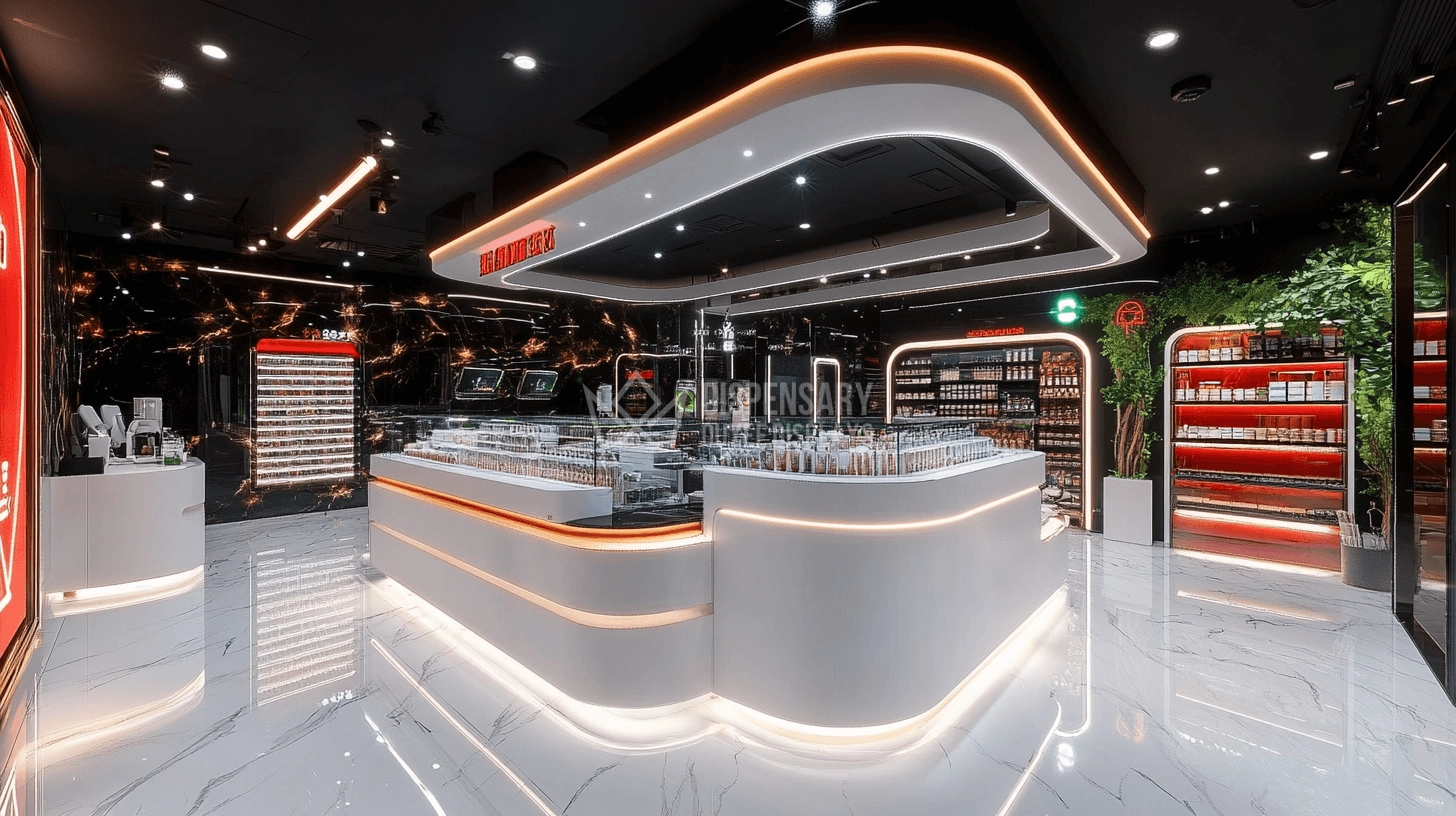
Turnkey Solution Modern Cannabis Dispensary Design Companies
A futuristic cannabis dispensary design offering turnkey display solutions with curved counters, ambient LED lighting, and sleek showcase systems.
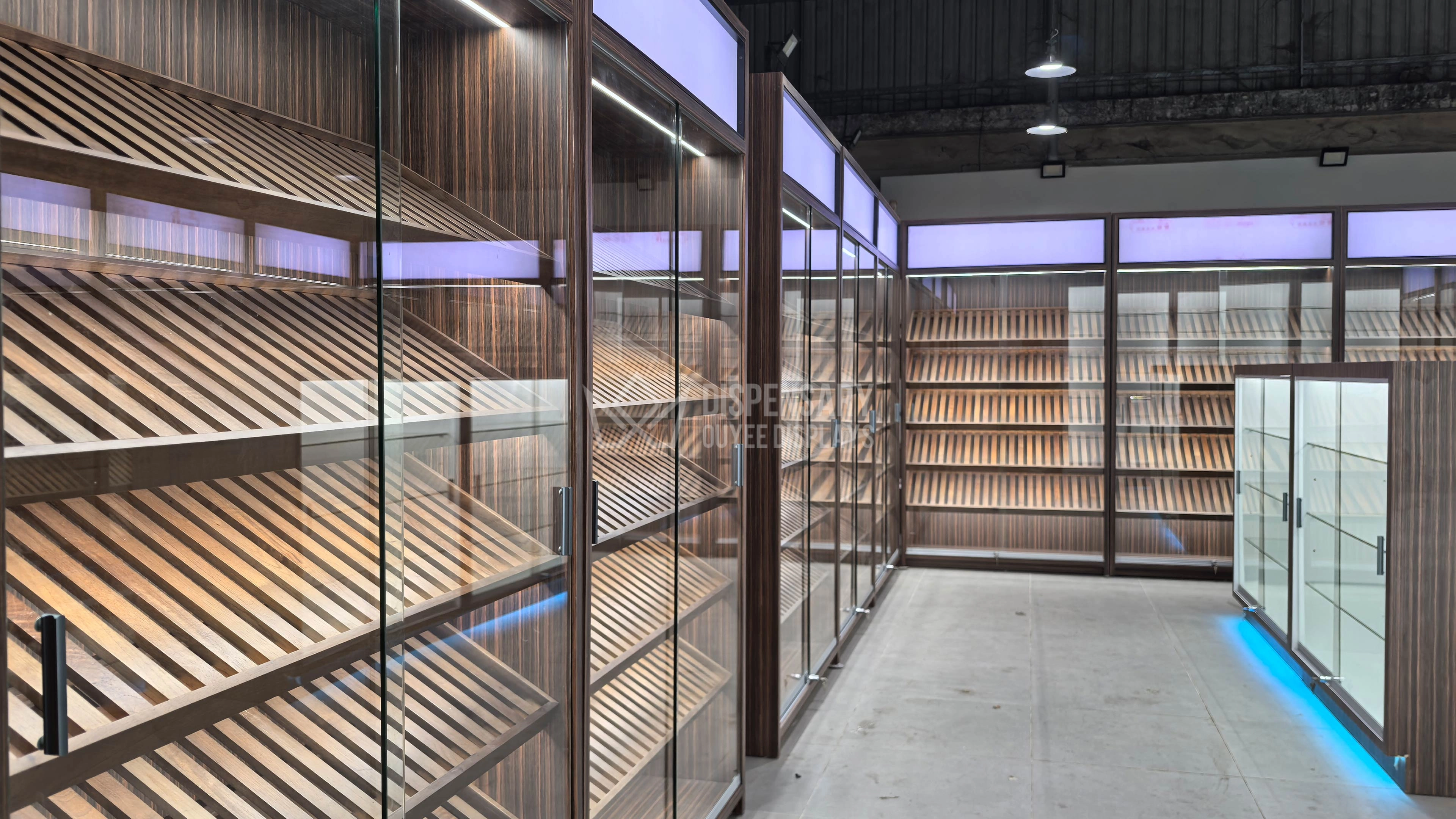
Customized Smoke Shop Showcase Cigarette Display Rack For Sale
Designed for professional tobacco retailers, this high-capacity display system features angled wooden shelving, glass-door cigar cabinets, and central LED-lit display counters. Combining function and style, it’s ideal for shops offering cigarettes, cigars, and other tobacco products, and is ready for use in premium indoor retail spaces or walk-in humidors.
Let's get in touch

Email: gzouyeedisplay@gmail.com
WhatsApp: +86 136 6049 7267
Ouyee Dispensary
Ouyee Dispensary
Ouyee Dispensary
Ouyee Dispensary